Description
PREMIUM WORDPRESS WHATSAPP CHAT SOLUTION
Turn Website Visitors Into WhatsApp Conversations
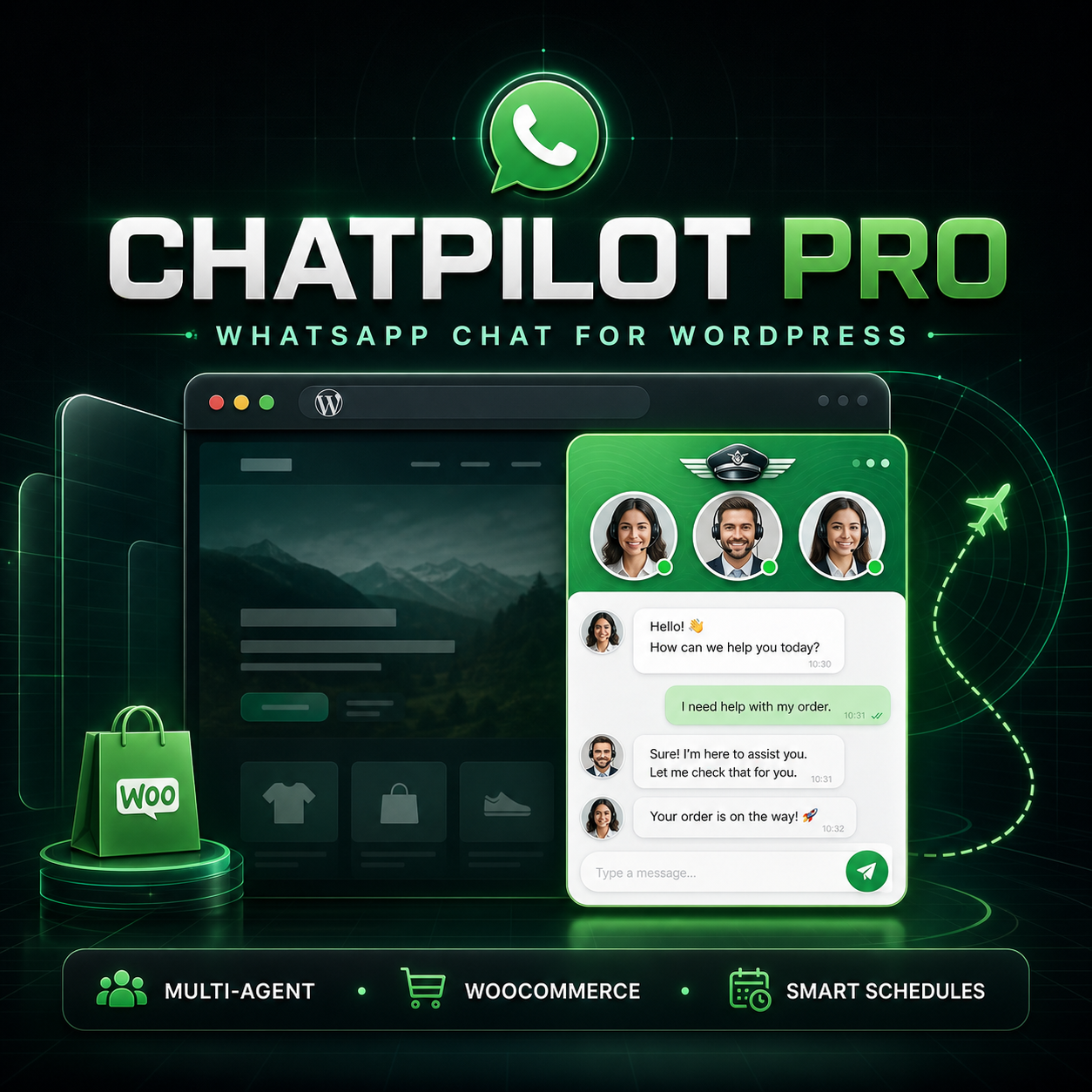
ChatPilot Pro is a professional WhatsApp chat plugin for WordPress and WooCommerce. It helps businesses connect website visitors with sales representatives, customer service agents, product specialists, and other team members through a polished floating chat widget.
Visitors can select the most appropriate agent and open a prefilled WhatsApp conversation without creating an account, completing a complicated form, or waiting for an email response.
No WhatsApp Cloud API credentials are required. ChatPilot Pro uses standard WhatsApp click-to-chat links to create a simple and dependable communication pathway.
ChatPilot Pro Features
- Customizable floating WhatsApp widget: Add a professional chat launcher to the left or right side of your website.
- Multiple support agents: Create separate profiles for sales, customer service, product support, reservations, and other departments.
- Individual WhatsApp numbers: Assign a different WhatsApp number to every agent.
- Agent-specific messages: Create personalized prefilled messages for each representative or department.
- Business schedules: Configure available days, starting times, and ending times for every agent.
- Availability indicators: Show visitors whether an agent is currently available or outside business hours.
- WooCommerce integration: Display a WhatsApp inquiry button directly on product pages.
- Dynamic product information: Insert the current product name and price into prefilled WhatsApp messages.
- Display targeting: Control visibility across pages, posts, products, desktop devices, and mobile devices.
- Content exclusions: Hide the widget from selected WordPress pages or posts using their IDs.
- Custom display delay: Choose how many seconds ChatPilot Pro waits before displaying the widget.
- Privacy consent option: Require visitors to accept a customizable consent message before continuing.
- Shortcode support: Add WhatsApp buttons to pages, posts, landing pages, templates, and supported builders.
- Responsive design: Provide a consistent experience across desktop, tablet, and mobile screens.
- Independent operation: No external subscription or WhatsApp Cloud API configuration is required for click-to-chat functionality.
Build a Faster Path From Interest to Conversation
Website visitors often have questions before they are ready to purchase, schedule an appointment, request an estimate, or submit an order. ChatPilot Pro reduces unnecessary steps by allowing those visitors to contact your business through a messaging platform they already recognize.
ChatPilot Pro Can Help Your Business
- Make sales and support contact options easier to find.
- Direct questions to the most appropriate team member.
- Provide product-specific assistance on WooCommerce pages.
- Reduce friction between browsing and contacting your business.
- Present business availability clearly.
- Create more relevant prefilled customer messages.
- Improve the mobile contact experience.
- Maintain a consistent chat design across the website.
ChatPilot Pro does not guarantee sales or conversions. Results depend on website traffic, products, pricing, customer demand, response time, business reputation, and other factors. The plugin provides a professional communication pathway that can support your existing sales and customer service strategy.
WhatsApp Chat for WooCommerce Products
ChatPilot Pro adds a customizable WhatsApp inquiry button to WooCommerce product pages. Customers can open a conversation with information related to the product they are currently viewing.
Dynamic WooCommerce Message Variables
{product}inserts the current product name.{price}inserts the current product price.{page}inserts the current page title.{url}inserts the relevant website address.{site}inserts the WordPress website name.
Example message:
Hello, I would like more information about {product}. I found it on {site}.
This feature is useful for product questions, availability inquiries, custom orders, wholesale requests, service packages, appointment-based products, and products that require consultation before purchase.
Connect Visitors With Multiple WhatsApp Agents
Create dedicated contact profiles for different people or departments. Each agent can have an individual name, role, telephone number, avatar, message, working days, and business hours.
Example Agent Structure
- Sales: Product questions, estimates, and purchase assistance.
- Customer Support: General assistance and service questions.
- Billing: Invoice and payment-related inquiries.
- Reservations: Appointments, bookings, and availability.
- Wholesale: Bulk orders and business purchasing.
Visitors can review the available agents and choose the person or department that best matches their inquiry.
Customize ChatPilot Pro for Your Brand
The WordPress administration panel provides centralized controls for the widget appearance, content, agents, schedules, visibility, privacy notice, and WooCommerce integration.
- Change the primary widget color.
- Position the launcher on the left or right.
- Customize the widget title and subtitle.
- Write a custom welcome message.
- Change the floating button text.
- Create default and agent-specific WhatsApp messages.
- Add custom agent avatar URLs.
- Configure separate schedules for every agent.
- Enable or disable the widget on mobile and desktop devices.
- Control visibility on posts, pages, and store content.
- Change the WooCommerce product-button text.
Optional Privacy Consent
ChatPilot Pro includes an optional consent checkbox that can be displayed before a visitor opens WhatsApp. The consent text can be customized according to the website owner’s requirements.
ChatPilot Pro itself does not read, synchronize, or store WhatsApp conversations. When a visitor selects an agent, the plugin opens a standard WhatsApp click-to-chat address containing the configured telephone number and prefilled message.
Website owners remain responsible for creating an appropriate privacy policy, selecting legally suitable consent language, disclosing third-party services, and complying with regulations that apply to their business and visitors.
Add WhatsApp Buttons With Shortcodes
Use the default shortcode to display a button for the first configured agent:
Chat on WhatsAppSelect a specific agent and customize the button text:
Talk to salesThe shortcode can be placed in supported WordPress pages, posts, landing pages, widgets, templates, and page-builder shortcode elements.
Technical Requirements
- WordPress 6.2 or newer.
- PHP 7.4 or newer.
- An active WordPress website.
- A valid WhatsApp or WhatsApp Business telephone number.
- WooCommerce is optional and only required for product-page integration.
- A WordPress theme that includes the standard
wp_footer()hook.
ChatPilot Pro does not require WhatsApp Cloud API credentials for its click-to-chat functionality.
Quick WordPress Installation
- Download the ChatPilot Pro ZIP file after purchase.
- Sign in to the WordPress administration dashboard.
- Open Plugins > Add New Plugin.
- Select Upload Plugin.
- Choose the ChatPilot Pro ZIP file.
- Select Install Now.
- Activate ChatPilot Pro.
- Open ChatPilot Pro from the WordPress administration menu.
- Add at least one agent and enter the complete WhatsApp number with country code.
- Save the settings and review the widget on the website.
Telephone numbers should include the country code without spaces, punctuation, or the plus symbol. For example: 13055550123.
Why Buy ChatPilot Pro?
One Professional Contact System
Manage agents, schedules, messages, visibility, appearance, consent, and WooCommerce integration from one organized WordPress panel.
Designed for Business Teams
ChatPilot Pro goes beyond a basic floating telephone icon. It allows visitors to choose between multiple agents or departments and see their current availability.
Built for WordPress and WooCommerce
The plugin works with standard WordPress content and provides dedicated WooCommerce product-page functionality.
No API Configuration Required
Standard click-to-chat functionality works without creating a Meta developer application, configuring webhooks, or purchasing a WhatsApp Cloud API plan.
Flexible Placement
Use the automatic floating widget, WooCommerce product button, shortcode buttons, or a combination of these options.
Responsive Customer Experience
The interface is designed to remain usable across desktop, tablet, and mobile screens.
Clear One-Time Product
Receive an installable WordPress plugin without a required monthly SaaS subscription for the included click-to-chat features.
Who Is ChatPilot Pro For?
- WooCommerce stores.
- Local service businesses.
- Real estate professionals.
- Restaurants and hospitality businesses.
- Appointment-based companies.
- Automotive businesses.
- Construction and home-service companies.
- Consultants and professional service providers.
- Online educators and coaches.
- Wholesale and business-to-business sellers.
- Agencies managing customer websites.
Frequently Asked Questions
Does ChatPilot Pro require the WhatsApp Cloud API?
No. ChatPilot Pro uses standard WhatsApp click-to-chat links and does not require API credentials for its included functionality.
Can I add multiple WhatsApp agents?
Yes. You can create multiple agents and assign an individual name, role, WhatsApp number, avatar, message, working days, and schedule to each one.
Does it work with WooCommerce?
Yes. ChatPilot Pro can display a customizable WhatsApp inquiry button on WooCommerce product pages and include dynamic product information in the message.
Does the widget work on mobile devices?
Yes. The widget is responsive and includes separate visibility controls for desktop and mobile devices.
Can I customize the WhatsApp message?
Yes. You can create a default message and separate messages for individual agents. Dynamic variables can insert website, page, URL, product, and price information.
Can I configure business hours?
Yes. Every agent can have individual working days, starting times, and ending times. The widget displays an availability status based on that schedule.
Can I hide the widget from selected pages?
Yes. You can control visibility by content type, device type, and specific page or post IDs.
Can I place a WhatsApp button inside a page?
Yes. Use the Chat on WhatsApp shortcode or select a specific agent with shortcode attributes.
Does ChatPilot Pro store WhatsApp conversations?
No. Conversations take place through WhatsApp. ChatPilot Pro does not read, synchronize, or store the conversation history.
Is ChatPilot Pro an automated chatbot?
No. This version connects visitors with real WhatsApp numbers through click-to-chat links. It does not provide automated AI replies or a shared WhatsApp inbox.
Will it work with my WordPress theme?
ChatPilot Pro is designed for standard WordPress themes that correctly implement the required WordPress footer hook. Custom themes with nonstandard templates may require adjustment.
How should I enter the WhatsApp number?
Enter the complete telephone number with country code and without the plus symbol, spaces, parentheses, or hyphens.
Does ChatPilot Pro guarantee more sales?
No plugin can guarantee sales. ChatPilot Pro creates a faster communication pathway, but results depend on traffic, offers, pricing, response time, customer demand, and other business factors.
Important Product Information
ChatPilot Pro is an independently developed WordPress plugin. It is not affiliated with, sponsored by, endorsed by, or officially connected to WhatsApp LLC, Meta Platforms, Inc., Automattic, WooCommerce, or WordPress.
WhatsApp is a trademark of its respective owner. WordPress and WooCommerce names are used only to describe compatibility and intended functionality.
Third-party platforms may change their applications, links, policies, technical requirements, or availability. Continued compatibility with external services cannot be guaranteed indefinitely.
Reviews
There are no reviews yet.