Description
AI SALES, PRODUCT DISCOVERY, AND CUSTOMER SUPPORT FOR WORDPRESS
Turn Your Website Knowledge Into an Intelligent AI Assistant
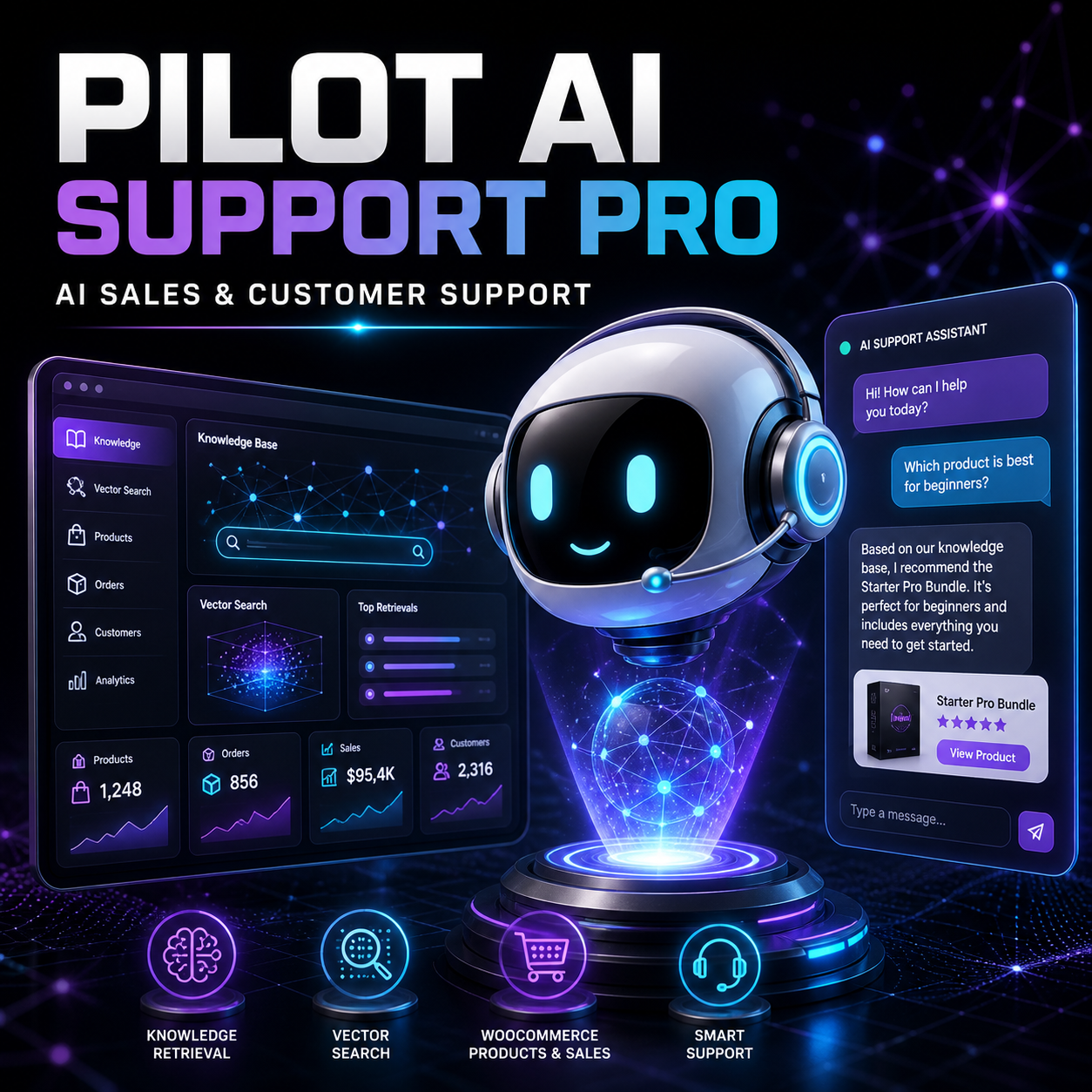
Pilot AI Support Pro is a grounded AI sales and customer-support plugin for WordPress and WooCommerce. It connects your website content, documentation, business instructions, and eligible WooCommerce product information to a customer-facing AI assistant.
Instead of relying exclusively on general AI knowledge, Pilot AI Support Pro can retrieve relevant information from the OpenAI Vector Store connected to your website. This helps the assistant provide more useful answers about your products, services, policies, documentation, and support resources.
Key Features
Grounded AI Responses
Give the assistant access to synchronized website knowledge so it can retrieve information relevant to the visitor’s question. Business instructions can require the assistant to acknowledge uncertainty and recommend human support when verified information is unavailable.
OpenAI Vector Store Integration
Connect an existing OpenAI Vector Store or create and manage one through the plugin. Your selected WordPress content is converted into searchable knowledge for retrieval-assisted responses.
WooCommerce Product Intelligence
Allow the assistant to search products, review current product information, display relevant recommendations, show product cards, and provide verified product or cart links.
Responsive AI Chat Widget
Add a customizable chat interface to the public website. Configure the assistant name, subtitle, welcome message, suggested questions, brand color, position, desktop visibility, mobile visibility, and guest access.
Lead Capture and Human Escalation
Recognize potential sales opportunities and direct visitors to your official contact channel when a question involves billing, licensing, account access, private orders, technical investigation, or a human representative.
Conversation History and Feedback
Store permitted conversation records, collect visitor feedback, review usage information, and identify areas where your documentation or business instructions may need improvement.
A Knowledge Base Connected to Your Website
Pilot AI Support Pro can build a structured knowledge manifest from eligible WordPress content. Administrators choose which sources should be synchronized.
Supported Knowledge Sources
- WordPress pages
- Blog posts
- WooCommerce products
- Product variations
- Product categories
- Product tags
- Documentation post types
- Selected custom post types
- Manually entered business knowledge
The Knowledge Base dashboard displays authoritative database counts for Total, Pending, Processing, Synced, Failed, and synchronization progress.
A built-in Knowledge Base test lets administrators ask questions and review retrieved website sources before opening the assistant to visitors.
Built for WooCommerce Product Discovery
Pilot AI Support Pro can combine grounded website knowledge with current WooCommerce product data. Store owners decide which commerce capabilities the assistant may use.
Available WooCommerce Capabilities
- Product search
- Current product information
- Live price display
- Relevant product recommendations
- Responsive product cards
- Product-page links
- Cart links
- Authenticated order lookup
- Authenticated download lookup
Private order and download information should only be available to authenticated customers with the appropriate permissions.
Support Customers and Create Better Sales Paths
The assistant can help visitors understand products, compare relevant options, locate documentation, review published policies, and identify the most appropriate next step.
Example Customer Questions
- “Which plugin is best for my WooCommerce store?”
- “What is included with this product?”
- “Where can I find the installation documentation?”
- “Which product helps manage software licenses?”
- “How can I contact technical support?”
- “What does your refund policy say?”
When reliable information is unavailable, the assistant can clearly explain that limitation and direct the visitor to human support rather than intentionally inventing an answer.
Durable Knowledge Synchronization
Large WordPress websites should not attempt to upload every document in one oversized browser request. Pilot AI Support Pro processes knowledge through a persistent manifest and small, controlled batches.
Synchronization Workflow
- Discover eligible WordPress and WooCommerce content.
- Create or update the local knowledge manifest.
- Claim a safe batch of pending records.
- Extract and normalize each document.
- Upload the document through the configured OpenAI connection.
- Attach the file to the selected Vector Store.
- Monitor OpenAI processing.
- Update the manifest to Synced or Failed.
- Continue processing until no eligible records remain.
Administrators can monitor Pending, Processing, Synced, and Failed records, review worker diagnostics, pause synchronization, resume it, retry genuine failures, and recover abandoned processing records.
Control How the Assistant Represents Your Business
Pilot AI Support Pro provides separate system and business instructions. These instructions can define how the assistant communicates, recommends products, handles uncertainty, protects customer information, and escalates sensitive requests.
Configurable Business Rules
- Assistant tone and response style
- Preferred visitor language behavior
- Product-recommendation rules
- Prohibition of invented prices or discounts
- Uncertainty and fallback behavior
- Human escalation conditions
- Privacy and credential-safety rules
- WooCommerce tool permissions
- Guest and authenticated-user access
- Rate and usage limits
AI-generated content can still be imperfect. Website owners should test the assistant, maintain accurate source content, review conversations where legally appropriate, and provide a human support option.
Analytics, Leads, Feedback, and Diagnostics
Understand how visitors use the assistant and monitor the systems that support it.
- Conversation records
- Lead opportunities
- Visitor feedback
- Usage information
- Knowledge synchronization progress
- Last successful synchronization
- Worker and scheduler telemetry
- Knowledge query diagnostics
- OpenAI connection status
- Vector Store connection status
Why Buy Pilot AI Support Pro?
Use the Content You Already Maintain
Your pages, products, documentation, categories, tags, and business knowledge can become a searchable resource for customer-facing assistance.
Reduce Friction for Visitors
Customers can ask natural-language questions without manually searching through menus, product archives, documentation pages, and policy documents.
Create More Relevant Product Recommendations
WooCommerce integration helps the assistant connect customer needs with current products instead of relying only on static scripted responses.
Keep Control of Business Behavior
Configure knowledge sources, instructions, permissions, visibility, usage limits, escalation rules, and the connected Vector Store from WordPress.
Know What the System Is Doing
Detailed status counters and diagnostics make it easier to distinguish between queued content, active processing, synchronized documents, API failures, and scheduler problems.
Support Both Sales and Customer Service
One assistant can help with product discovery, common questions, documentation, published policies, installation guidance, and escalation to your human team.
Present a Consistent Brand Experience
Customize the assistant identity, welcome message, suggested prompts, colors, position, and device visibility to fit your website.
Technical Requirements
- WordPress 6.4 or newer
- PHP 8.1 or newer
- An active OpenAI account and API key
- Access to supported OpenAI API and Vector Store functionality
- HTTPS recommended for production websites
- WooCommerce required for commerce-specific features
- A WordPress theme with the standard frontend footer hook
- Working WordPress cron, server cron, or supported background processing
OpenAI services, API usage, model availability, pricing, limits, retention policies, and regional availability are controlled by OpenAI and may change independently of this WordPress product.
Installation and Setup
- Download the Pilot AI Support Pro ZIP file.
- Open WordPress → Plugins → Add Plugin → Upload Plugin.
- Upload, install, and activate the plugin.
- Open Pilot AI Support → AI Settings.
- Enter and test your OpenAI API configuration.
- Connect the intended OpenAI Vector Store.
- Select the WordPress knowledge sources.
- Synchronize the Knowledge Base.
- Configure business instructions and WooCommerce permissions.
- Customize the assistant from the Appearance screen.
- Test the Knowledge Base and public chat before launch.
Frequently Asked Questions
Is Pilot AI Support Pro a generic chatbot?
No. It is designed as a WordPress and WooCommerce assistant that can retrieve information from a connected website Knowledge Base and use enabled commerce capabilities.
Does the plugin include an OpenAI account or API usage?
No. You must provide your own compatible OpenAI account and API key. OpenAI usage fees and service terms are separate from the plugin.
Does it automatically create a new Vector Store?
Administrators control whether to connect an existing Vector Store or create a new one. The plugin should not replace a connected store without an explicit administrative action.
Can I use an existing OpenAI Vector Store?
Yes. Pilot AI Support Pro supports connecting a valid existing Vector Store ID.
Can it synchronize hundreds of WordPress records?
Yes. The plugin uses a manifest and controlled batches so administrators can track each record through Pending, Processing, Synced, or Failed states.
Will synchronization delete my existing Vector Store?
Normal synchronization does not require deleting the connected Vector Store. Remote deletion should only occur through a separate, explicitly confirmed administrative action.
Does it support WooCommerce variable products?
Product variations can be included as a knowledge source when that option is enabled.
Can it display live product prices?
Yes, when WooCommerce is active and the live-price capability is enabled.
Can customers ask about their orders?
Authenticated order lookup can be enabled. Private order information should never be exposed to unauthenticated visitors.
Can I customize the chat appearance?
Yes. Configure the assistant name, subtitle, welcome message, suggestions, primary color, position, and desktop or mobile visibility.
Can I hide the AI assistant from guests?
Yes. Guest access can be enabled or disabled from the plugin settings.
Does it support multiple languages?
You can instruct the assistant to answer in the visitor’s language. Results depend on the selected model and the quality of the synchronized source content.
Can AI responses still be incorrect?
Yes. Retrieval and business instructions can reduce unsupported responses, but they cannot guarantee perfect accuracy. Test the assistant regularly and keep human support available.
Does the plugin guarantee more sales?
No. It can reduce information and contact friction, but sales depend on traffic, demand, products, pricing, reputation, support quality, and many other factors.
Reviews
There are no reviews yet.